ApexKraft Power Manager
// power & brightness control — windows 10/11 system tray
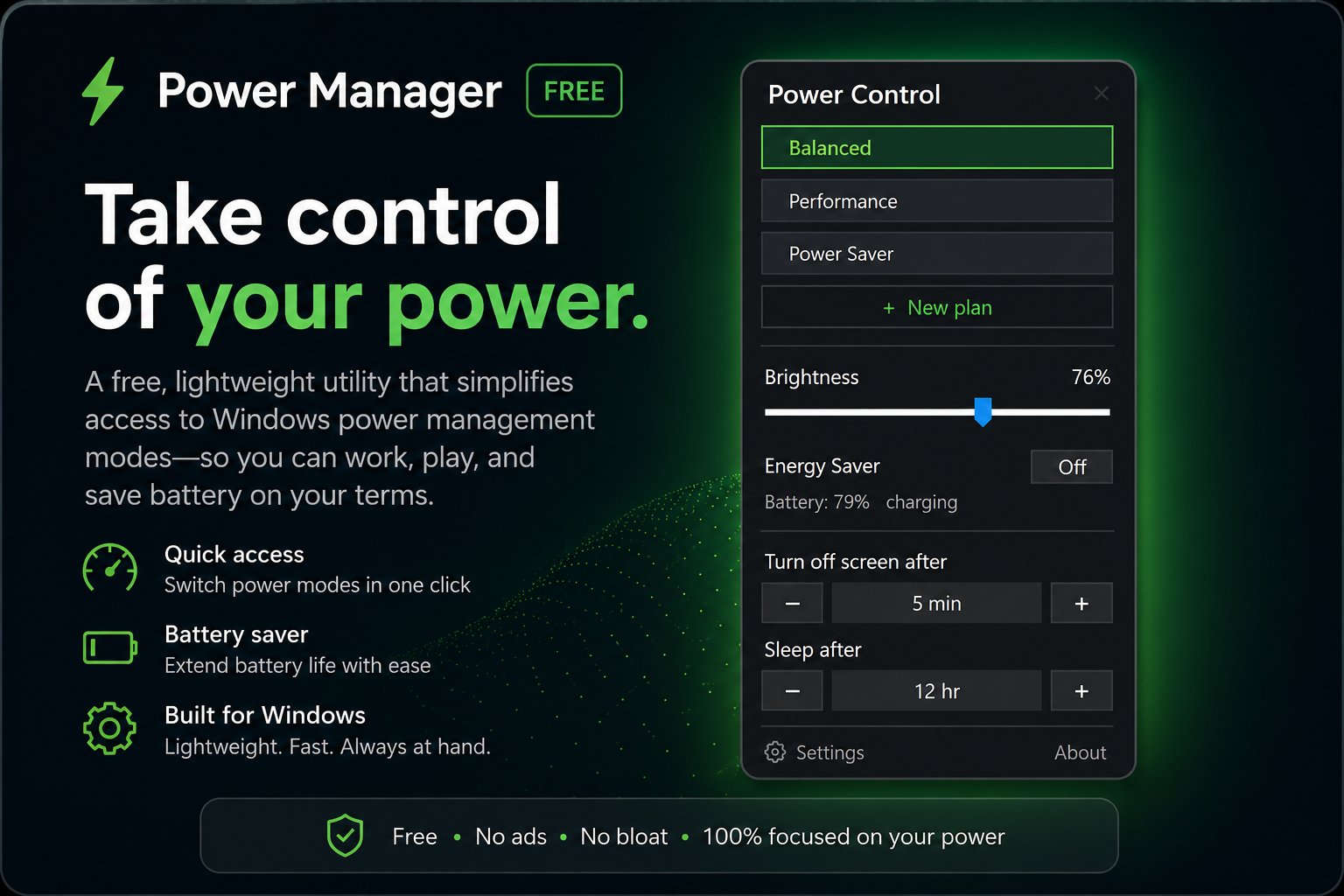
A lightweight tray app that puts your laptop's power options one click away. Switch power modes, drag a brightness slider, glance at your battery and Energy Saver, and set how long until the screen turns off or the laptop sleeps — without digging through Settings. Free, self-contained, and quiet by design.
// free • windows 10 (1809+) / windows 11 • 64-bit • self-contained
Screenshots[]
Features[]
Power Modes
Switch between your laptop's power plans — power saver, balanced, performance, and any vendor modes — with a single click. The active one is highlighted.
Brightness
A brightness slider right in the tray flyout. Set your internal display level without opening the Action Center or Settings.
Battery & Energy Saver
See battery percentage, charging status, and the current Energy Saver state at a glance, with a shortcut to the Windows Energy Saver settings.
Sleep & Screen Timeouts
Quick presets for how long until the screen turns off and the laptop goes to sleep — handy for downloads, presentations, or saving power.
Start with Windows
Optionally launch at logon so the tray icon is always there. Toggle it any time from the Settings menu in the flyout.
Lightweight & Private
Self-contained — no .NET runtime to install. No account, no telemetry, and no network requests. It just sits quietly in your tray.
Use Cases[]
Laptop Users
Flip between quiet and performance on the fly, dim the screen in a dark room, and stop hunting through Settings for power options.
On Battery / Travel
Drop into a power-saving plan, lower brightness, and shorten timeouts to stretch your battery when you're away from an outlet.
Performance When You Need It
Jump to a high-performance plan for gaming, rendering, or heavy builds — then switch back to balanced when you're done.
Presentations & Focus
Set the screen to never sleep during a talk or a long read, then restore your normal timeouts afterward in a couple of clicks.
Privacy[]
- No account or sign-in required
- No analytics, no telemetry of any kind
- No advertising, no third-party SDKs
- No data sold or shared with anyone
- Settings applied locally via Windows' own APIs
- App makes no network requests
Disclaimer: ApexKraft Power Manager is provided free of charge, "as is" and without warranties of any kind. It changes power, display, and sleep settings using Windows' own mechanisms; results depend on your hardware, drivers, and Windows configuration. Use is at your own risk. For full terms, privacy details, and the limitation of liability, see the Privacy Policy & Terms of Use.
Power options, one click away.
Free for Windows 10 (1809+) and Windows 11. Download the installer or the portable build from GitHub — no sign-up, no tracking.
// not code-signed yet — Windows SmartScreen may warn on first run; click "More info" then "Run anyway"